Get the latest insights, product updates, and news from Permission — shaping the future of user-owned data and AI innovation.
Your child has a relationship with technology. You are not in it.
You are responsible for how it goes, and you cannot see most of it. You did not agree to most of it. And every product that offers to help seems to want a relationship with your child rather than with you.
That is not a discipline problem, and being stricter will not fix it. It is a plan problem, and the reason you do not have a plan is structural rather than careless, which is what Section 2 is about.
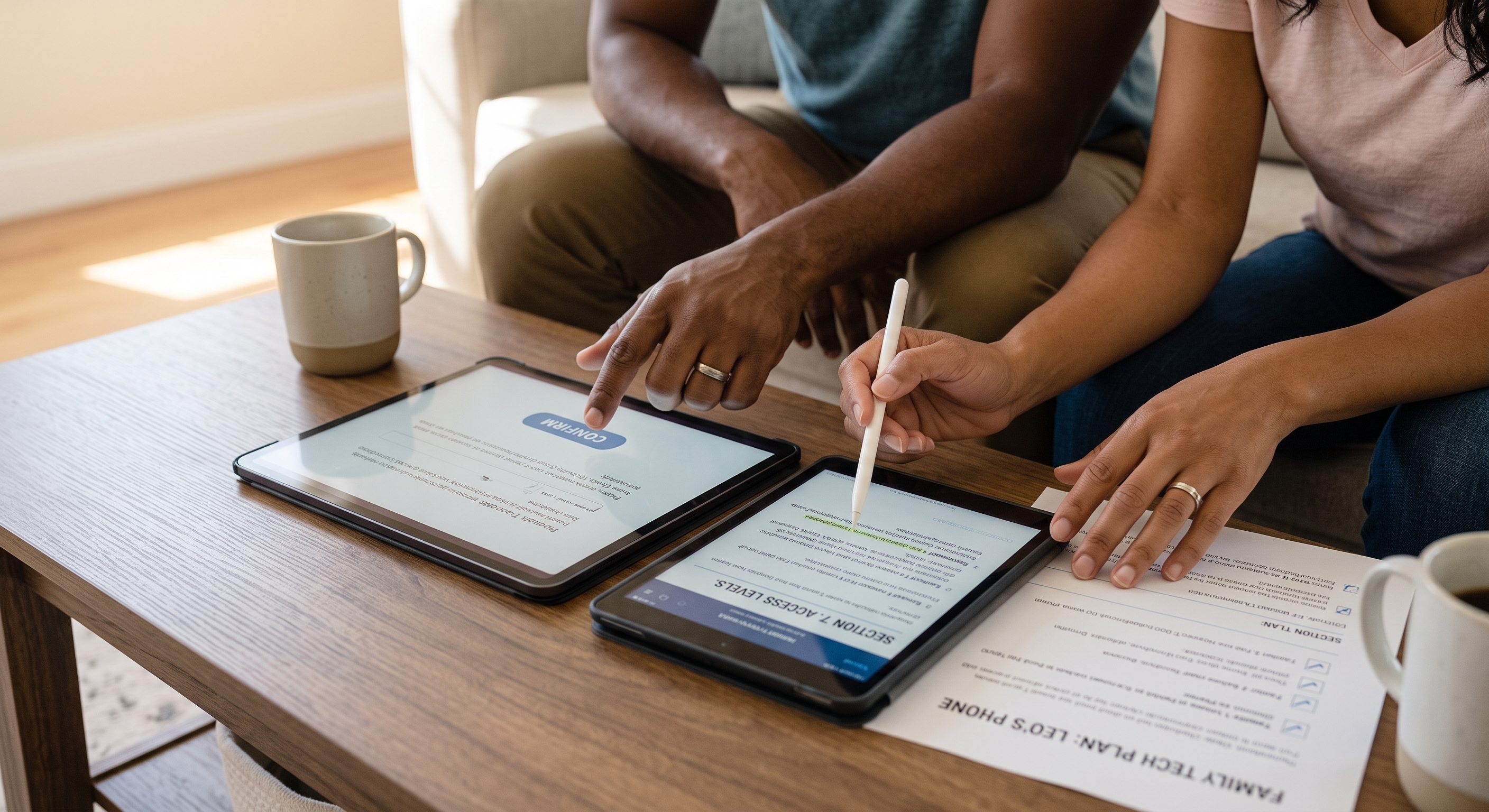
A family technology plan is how you get in. It starts with a shift as simple as it sounds: stop counting screens, start counting the places where something can reach your child, or your child can reach the world.
1. How to use this guide
This guide is for a parent who feels like the technology in their house is happening to them, and who wants to get in front of it without becoming the family's IT department.
If you read one section, read Section 2. It is the argument for why this is worth an hour of your life, and if it does not persuade you then nothing else here will help. If you are already persuaded and want to get on with it, Section 4 shows you a finished plan and Section 13 tells you exactly what to do in your first hour.
This guide does not tell you which settings to change on any particular device. Settings change every few months, and each platform has its own guide for that. This one is about the decisions those settings are supposed to be carrying out, which is the part nobody hands you.
Two things are deliberately out of scope. It does not tell you what your family's answers should be: the right level of access for a nine-year-old in one house is wrong in the house next door, and the difference is usually values rather than information. And it does not cover what companies collect about your child in any depth. That is a subject of its own, and this guide touches it only where consent is involved, in Section 6.

2. Why your family needs a plan
The reason you don't have one is not that you've been careless
The technology in your house arrived one piece at a time. A birthday. A hand-me-down phone that nobody bought, so nobody decided anything about it. A school year that came with a laptop and three accounts in your child's name. A friend's recommendation. A toy from a grandparent that turned out to need an app and an account.
Every one of those arrivals was too small, on its own, to be worth calling a family meeting about. That is the whole mechanism. There was never a single moment designed for deciding, so no decision was ever made, and what your household runs on today is not your judgement. It is the accumulated factory settings of a few dozen companies, none of which have met your family.
That is not a failure of parenting. It is a failure of design, and it is why a plan has to be made on purpose rather than arrived at.
What all this technology is actually doing for you
Before the argument for a plan, the honest part, because a guide that treats every device in your house as a threat is not much use to you, and your child will notice the framing before they notice the rules.
Much of the technology in your house is doing something your family genuinely wanted. The tablet is how a five-year-old reads with a grandparent two time zones away. The console is where a shy eleven-year-old has real friendships with real reciprocity, which is not a lesser thing because it happens over a headset. The smart speaker settles arguments about how far away the moon is, several times a day, patiently. The watch is why a nine-year-old is allowed to walk home alone. The AI assistant explains long division four different ways without getting frustrated, which is more patience than a tired parent has at eight in the evening.
None of that is a compromise you tolerate in exchange for risk. It is the point. A plan exists so the things worth having can stay: positioned deliberately, rather than periodically confiscated in a fit of unease and then reinstated because the alternative was worse.
What it costs to leave it
The cost of having no plan is real, and the reason it goes unnoticed is that none of it announces itself.
Every request becomes an ambush. With no plan, each new ask gets negotiated from scratch at the worst possible moment: in the shop, at bedtime, in the car, in front of a friend who already has one. You are making a decision that deserved a week of thought while somebody cries or a shop assistant waits. A plan does not make you stricter. It moves the decision out of the ambush, to a table, on a day when nobody wants anything.
You end up carrying the worry for everything, but only ever deciding a little of it. This is the shape of it in a lot of houses: a parent is anxious about dozens of things and has deliberately decided a handful. The anxiety scales with the pile; the authority scales with the decisions. That gap is the feeling people describe as being behind on technology, and it does not close by reading more news about it.
The tab runs silently. Nothing tells you that a subscription you were relying on lapsed, that your child crossed the age at which a platform's controls fall away, that a toy's behavior changed after an update, that an account you forgot about still recovers through your inbox, or that the old phone in the drawer is on the Wi-Fi. Things nobody decided about do not fail loudly. They accumulate, and the bill arrives all at once.
And if something does go wrong, there isn't much to fall back on. This is the expensive one. The moment you most need to act is the moment you discover nothing was ever agreed, so whatever you do next reads to your child as arbitrary, and usually as punishment. With no framework, the only lever left is confiscation.
The alternative to a plan is not freedom. It is confiscation. And what a child often takes from a confiscation they did not see coming is not better judgement but a reason to hide the next problem. Which costs you the only thing that was actually protecting them.
And everybody ends up somewhere else. This is the cost that has nothing to do with safety, spending or settings.
The costs are not hypothetical
Four things worth knowing, the first two of which apply to almost every family.
The controls you think you have are thinner than you think. A 2025 survey of US parents of 10-to-17-year-olds by the Family Online Safety Institute and Ipsos found that among parents who own each device, 51% had set parental controls on a tablet, 47% on a smartphone, 38% on a smart television and 35% on a games console: the highest-spending devices in the house being the least covered. Read that as a description of a normal household rather than a careless one: roughly half of what's in the house has some kind of control switched on, and there's no way to know which half without actually checking each device.
Nothing you set in one place follows you to another. This is the most common silent failure in a family home, and it is not a bug you can fix.
A device you paid for can stop existing. In December 2024 the company behind Moxie, a $799 companion robot marketed as an emotional-support companion for autistic children, announced it was closing. The robots depended entirely on leased servers that were being switched off, and they stopped working when those servers went dark just over a month later; most owners were denied refunds. They partly survive today only because a former employee spent about eighty hours, after losing his job, building and releasing a way to run them locally. Nothing in the market currently prevents this happening again.
What a toy says to your child is decided somewhere else. When the US Public Interest Research Group tested AI-powered children's toys in late 2025, every toy it tested told researchers where to find dangerous household objects such as plastic bags, matches and knives; two discouraged a child from ending the conversation; and one, after a researcher introduced explicit terms, escalated into graphic sexual talk of its own accord, behavior its maker says it has since fixed. Another told the researcher "your secrets are safe with me" while transcripts were being sent to the company.
It is worth knowing what the safety net under this looks like. Asked by senators to act, the Consumer Product Safety Commission replied in February 2026 that it "is not a content regulator, nor is it equipped or authorized to evaluate non-physical hazards, such as mental, emotional, or psychological harm." No regulator currently owns the question of what a toy says to your child. The Federal Trade Commission's amended privacy rule governs what a toy collects, not what it says. For now, that gap sits with you.
The half that isn't about safety at all
There is a version of this argument that is only about risk, and it is the less important half.
Your child already has relationships with a dozen technology companies. Every one of them runs on terms that somebody agreed to. For most of what is in your house, that somebody was either a child who cannot legally or meaningfully consent, or nobody at all: a birthday typed into a box, a checkbox ticked at speed on a Tuesday. Your child is one party to those agreements and a company is the other, and you, who carry every consequence of them, were never in the room.
A plan is how you get into the room. Not to watch your child, but to be a party to the arrangement, which is the position a parent is supposed to hold and the one that got quietly removed. That is why the plan is worth making even in a household where nothing has ever gone wrong and nothing ever will.
3. What a family technology plan is
A family technology plan is not a list of rules, and it is not a contract your child signs under duress. It is a small set of written decisions about who can use what, where, and on what terms, plus, for each one, the event that brings it back for review.
Four things make it a plan rather than an intention.
It is written down. Think of the family calendar. Nobody in your house experiences the calendar as a set of rules, nobody signed it, and nobody argues about whether it is fair. It is just the place the household keeps what it has already agreed, so that nobody has to hold it all in their head and nobody can honestly say they did not know. A technology plan is the same kind of object. It is not a rulebook; it is the calendar for a set of decisions you have made anyway. And it exists in writing for the same unglamorous reason the calendar does: unwritten agreements are remembered differently by every person in the house, and the difference always surfaces mid-argument.
It is short. Five to twelve decisions. A plan that covers everything in your house is a document nobody reads, including you. Most of what you own needs no decision at all, and the discipline of the exercise is finding out which parts do.
Each decision names a person. Who owns the thing, whose account it runs on, who agreed to its terms, and who holds its key. A decision with nobody's name on it is a preference.
It expires on an event, not a date. An age starts a countdown; an event starts a conversation. Section 7 covers how to write one.
What a plan gets you
It ends the ambush. It makes your worry proportionate to your actual exposure, which is usually smaller than the worry. It gives a consequence legitimacy, because something was agreed beforehand and everybody knows what. It survives new technology, because it is built on categories and access levels rather than product names: the console you buy in two years lands in a slot that already exists. It gives your child something to argue with, which is how a person learns to make these calls before they have to make them alone. And it puts you inside the arrangement your child already has, which is the only item on this list that no setting can deliver.
What a plan is not
It is not a monitoring system and it will not tell you what your child is saying. It is not a promise of compliance. And it is not a one-off: a plan written once is a snapshot, and what keeps it true is the trigger, not the document.
4. What a finished family technology plan looks like
Here is a finished family technology plan, so you can see the destination before doing the work. The italicized phrases are the six access levels, which Section 7 explains.
This household has two adults and three children: Maya, fifteen; Leo, ten; Nina, six. They walked their house, found fifty-one things, and ended up with seven decisions.
Leo's phone: a hand-me-down with no phone plan. Runs on a child account in the family group; his dad set it up and agreed to the terms. Not alone in a bedroom. Sleeps on the kitchen counter. Key held by his dad; Leo does not know the passcode. Revisit when he starts middle school.
The family tablet, mostly Nina's: runs on her mum's account, which is the thing they want to change next. Shared rooms, at agreed times. Sleeps on the bookshelf in the sitting room. Key held by her mum. Revisit when Nina starts reading on her own.
The console in the living room: one shared account their dad set up and agreed to; the children have profiles under it. Open for Maya and Leo. Purchasing switched off entirely rather than limited. Sleeps where it is, in the living room. Key held by their dad. Revisit if Leo asks about playing online with people he does not know, which he probably will.
Maya's phone: her own account now, and she accepted the terms herself, which her parents talked through with her at the time. Open, and it sleeps in her room. That is a decision, not a default: she is fifteen, she has never given them a reason, and the plan says so out loud. Maya holds her own passcode. Revisit when she turns eighteen and takes over the account fully, or sooner if she asks.
Nina's story box: runs on an account in her mum's name; her mum agreed to the terms and has read them. Not alone in a bedroom, because it has a microphone. Sleeps in the sitting room. No key; there is nothing to lock. Revisit if it starts behaving differently after an update.
Dad's editing laptop: his own machine, his own account, his own terms. Only with someone. Lives in the office. Key held by dad. Revisit when Maya finishes her media course, at which point it will probably become hers to use.
Both parents' phones: their own accounts and their own terms. Not alone in a bedroom. They sleep on the kitchen counter with Leo's. Each parent holds their own passcode. Revisit at the same time as everything else. This is the line that makes the other six survive contact with a teenager.
Seven decisions covering eight things. The other forty-three got written on a list and dismissed. Nobody lost anything they cared about, and the next time somebody asks for something, there is a document to add it to instead of an argument to have.
The sitting-down part took them about an hour. The conversations with each child took another hour on a different evening, and they say the second hour was the one that mattered.
5. How to find every device and account in your house
Stop counting screens. Start counting what can actually reach your child, or let your child reach out.
You cannot make a plan about a house you have not looked at, so this is the one unavoidable chore.
This next part is going to look like a lot of work. It is less than it looks, and it gets dramatically simpler the moment it is written down. The difficulty here is not volume, it is holding everything in your head at once, and a list removes that problem in one move. Dozens of items are unmanageable while they are a vague sense of dread and become obviously manageable as soon as they are short lines on a page, most of which you will cross off. Families who have done it rarely describe the list itself as the hard part.
Asked to think about technology at home, most people reach first for a mental list of screens. That is the wrong list. What actually matters is whether something can reach your child, or let your child reach out into the world, whether or not it has a screen at all. A projector that only shows what a laptop sends it barely counts, even though it has a screen. A toy with a microphone and an app counts a great deal, even though it has no screen at all. An old phone in a drawer is a screen you stopped counting, and it is still fully capable of reaching out or being reached.
The walk itself is about twenty minutes. The sitting-down half takes roughly as long again, and it is the half that finds the things you had forgotten.
Walk the house
Names only. Do not analyze anything and do not decide anything on this pass.
Thirteen places to look, ordered roughly from the categories most households have to the narrowest. Read as far as the list keeps describing your house, but the last two are narrow rather than unimportant, and worth a glance even if you think they do not apply.
1. Phones and tablets. Current phones, tablets, budget children's tablets, e-readers, and every device with no phone plan. A hand-me-down phone on home Wi-Fi is a full computer with the phone plan removed and nothing else; see the warning in Section 7. Ownership starts earlier than the age most plans assume: Common Sense Media found 40% of children have their own tablet by age two and 58% by four, and Pew reports 23% of children twelve and under have their own smartphone: 12% of five-to-seven-year-olds, 29% of eight-to-ten-year-olds and 57% of eleven-and-twelve-year-olds.
2. Televisions and video. The set itself, streaming sticks and boxes, projectors, and the television's own app store. The most-used screen in most houses and the least-planned. A television platform's own parental controls generally govern that platform's own store, ratings and recommendations rather than what happens inside the apps: Apple states that restrictions set on an Apple TV "may not apply to apps you download from the App Store," and Google states that rating limits on a Google TV kids profile do not apply to "content recommendations directly provided by apps" or to "search results from apps." Which means Netflix is governed by Netflix and Disney+ by Disney+. Also worth writing down: which profile the family actually watches on, because a carefully configured children's profile that nobody uses is a setting, not a control.
3. The home network. The router and whoever administers it, the guest network, Wi-Fi boosters (extenders), and any phone sharing its own mobile data with other devices (acting as a hotspot). Here is the one thing worth understanding about this category: whatever filtering or controls you set up at the router only work on traffic that actually passes through that router. So if a phone is using its own mobile data instead of your Wi-Fi, if a tablet is connected through a phone's hotspot, or if a device is on a friend's network or the Wi-Fi at school, none of that ever reaches your router, which means nothing you set up there applies to it. That is not a gap you can close. It is simply how the technology works, and knowing it stops you from assuming a control covers more ground than it actually does.
4. Music and audio. Spotify, Apple Music, YouTube Music, audiobooks, podcasts, and children's audio players and story boxes. Worth its own line because families rarely plan for it, and because the available controls are the crudest of any category: most services lead with a single explicit-content switch, and it is far blunter than a rating system: Apple's covers Music, Podcasts, News and Fitness together in one setting, and Spotify's simply greys out anything carrying an explicit tag, song, podcast or audiobook alike. Audio is also the format children consume most independently, in bed, in the car, on headphones, which is exactly the condition under which nobody is checking.
5. General-purpose computers. Laptops, desktops, Macs, home Chromebooks, machines built at home from parts (self-builds), and any old laptop still in use. The category with the fewest guardrails, and the one most likely to be quietly exempt from whatever else you set up. A real computer runs whatever is put on it, including software installed from outside any official app store (sideloading), and the systems families rely on largely do not reach it: Google's documentation states that iPhones, iPads and computers other than Chromebooks cannot be supervised with Family Link, and that on those devices most Family Link supervision tools will not work. Microsoft's documentation says its web and search filters "only work with the Microsoft Edge browser," and that other browsers are handled through Family Safety's App and game filters rather than by the web filter itself. A household that has carefully configured the phones and tablets and left a laptop on the kitchen table has configured the easy half.
6. Game systems. Living-room consoles, handhelds, gaming PCs, virtual-reality headsets, boxes that play old games and are often assembled at home (emulation boxes), and games played in a browser tab rather than installed, which appear in no app list anywhere and are therefore the easiest thing on this page to miss entirely. Consoles are also the clearest example of governance split across two places: on most of them, content and time sit in one system while purchasing sits in a completely separate one. Section 8, on the money decision, covers how to handle that purchasing side.
7. School-issued technology. The device, the account on it, the filtering it carries, and any hotspot the school provided. Chosen by the school rather than by you, and worth recording because a school device carries the school's filtering and almost none of yours, which makes it the device in the house most likely to be governed by rules you have never read. Google's documentation is explicit that if a school account is added as a separate user on a Chromebook, Family Link parental controls do not apply to that user. It also arrives with an assumption of legitimacy attached that makes it easy not to question.
8. Speakers, displays and voice. Smart speakers, smart displays, bedroom speakers, voice-controlled remotes, headphones with an assistant built in. Pew put smart speakers in 35% of US adults' homes in February 2026, with ownership highest among adults in their thirties and forties. A speaker in a child's room is a microphone, a purchasing terminal, a music service with almost no content controls, and, through the intercom feature nobody has looked at, a way for anyone else on the household account to speak into that room.
9. Wearables. Children's smartwatches, an adult watch a child wears, fitness trackers, smart glasses, smart rings. Small, easily left off a list, and disproportionately important for one reason: this is the category most likely to be worn somewhere you are not. A watch that can be messaged is a messaging device that goes to school.
10. Cameras and sensors. Video doorbells, indoor cameras, baby monitors, pet cameras, vacuums with cameras, motion sensors, and small location tags you attach to things (item trackers). This category is less about your child being reached and more about your child being recorded, including by you, which is a legitimate thing to have decided rather than defaulted into. It is also where a household most often collects data about people who never agreed to anything, including your child's friends.
11. Connected toys and AI companions. Anything that needs an app, an account or a subscription to work properly: AI toys and talking plush, robot toys, story boxes, app-connected toys, drones, coding and robotics kits. The newest category in a family home and the least examined, and the only one that can stop existing outright. When Mozilla published an audit of ten connected children's products in December 2025, every one of them handled some form of personal data about children or parents, four exposed sensitive data through insecure physical storage on the device itself, and six had server-side vulnerabilities or missing authentication controls.
12. Creation and capture tools. The grown-ups' equipment: cameras, video and audio editing computers, microphones and streaming setups, 3D printers, drawing tablets, drones. Often the most capable devices in the house, and the ones least likely to have had a decision made about them, borrowed more often than anyone admits, and a genuinely wonderful thing for a teenager to learn on, which is exactly why they deserve a decision rather than being left unchecked.
13. Vehicles and mobility. The screen built into the dashboard (car infotainment), connected-car accounts, dashcams, and apps for electric bikes and scooters. A modern car works like an account now: it can have its own login, it saves stored locations, and it often has a built-in microphone. And when a teenager rents an electric scooter or bike through an app, that ride usually runs on their own account rather than yours, which means they are the one holding the login and everything tied to it.
Then sit down: the half that is not in the house
The rest of the inventory cannot be done on your feet, and in most families this is where the meaningful exposure actually lives.
Start with the email addresses and accounts in the house, and what each one recovers. This is the spine of everything invisible: nearly every account in your house is recoverable through some inbox, and in most families that inbox belongs to a parent who has forgotten which services point at it. Note also the login chains: one parent's account used as the sign-in for a dozen children's services is a single point of failure that no individual service will ever show you.
Then the subscriptions and services each person uses. List these per person rather than per device, because they follow a child across every screen and do not stay on the one you configured: streaming, music, games, learning apps, cloud storage. A messaging app governed carefully on a phone is the same app, unconfigured, on a tablet and in a browser.
Then money: cards on file and where, gift-card and wallet balances, in-app purchasing, teen debit cards and payment apps. Section 8 takes this apart properly; here you only need the list.
Then AI tools. Some of this your family chose deliberately. A great deal of it simply arrived inside things you already had: inside apps, inside schoolwork, inside search results, and that is the harder half to see.
And finally other households: the grandparents', a co-parent's, a friend's, a sitter's. Your plan stops at your front door unless somebody extends it, and a real share of your child's technology time happens somewhere else. This is the least actionable item on the list and it still belongs on it, because an unwritten assumption that other adults are running your rules is the most common way a careful plan produces a surprise.
Expect this to surface a few things you had genuinely forgotten. That is the usual result, not a sign of negligence.
Sort it with seven questions
Ask these about every device, app and service on the list. Three of the things you wrote down sitting down (the email addresses and accounts, the money, and the other households) do not get scored; they get read alongside everything else, because they are what explains the scores.
Each yes is a point. Nothing here judges whether a technology is good; the count measures how much of what reaches your child through it is outside your control.
- Can someone outside your family reach your child through it?
- Can content you did not choose arrive on it?
- Does it have a camera or microphone, or know where it is?
- Can it spend money?
- Does it hold an account or an agreement in your child's name?
- Is it portable enough to be used out of your sight?
- Does something other than you decide what your child sees or hears on it?
Each yes is worth one point, so every item ends up with a score somewhere between 0 and 7. That score sorts it into one of four groups.
0 points: it needs no decision. Write it down and move on; you are finished with it. Most households find a good number of these, and each one you can dismiss with confidence is one less thing carrying background worry.
1 to 2 points: it gets a one-time decision. Settle it once and it stays settled for years.
3 to 5 points: it needs a plan. These get an access level in Section 7.
6 or 7 points: start here. Anything scoring this high is doing nearly everything a piece of technology can do, and it also gets an access level. If you only ever act on one part of this guide, act on these.
One adjustment, and it is quick: if the youngest person who regularly uses something is under nine and it scored 2 or more points, move it up to the next group. So something that scored a 2, which would normally just need a one-time decision, gets treated as if it needs a full plan instead. Something that scored a 5, which would normally need a plan, becomes a start-here priority. The seven questions measure what a thing can do and where it can go; none of them captures age at all, and the same tablet is a different object in a six-year-old's hands than in a sixteen-year-old's.
Who decides what is age-appropriate for your child
The seventh question is the one parents are least often asked, and it is why televisions, streaming services and music belong on your list alongside the phones.
Almost every service in your house makes a judgement about what suits a child of a given age, and then hands you a simplified version of that judgement as a setting. A streaming service offers maturity ratings. A music service usually offers one explicit-content switch covering everything it carries. A video platform offers a restricted mode. A store offers age categories. A recommendation feed offers nothing at all and simply decides what comes next.
In each case somebody has already answered a question your family might answer differently, and their answer arrived in your house without a conversation. That is not a scandal and it is not an accusation about any company. It is a delegation, and the only real problem with it is that most parents do not know they made it. Two practical things follow.
A rating measures a narrow and countable set of things. Ratings are built around language, nudity, violence and drug references, because those can be counted and applied consistently across thousands of titles. They are not built to capture what a particular family believes, hopes for, worries about, or wants its children to learn, and that is not a defect in the rating, it is simply outside what a rating is able to do. Which means something can be entirely appropriate for your child's age by every standard the service applies, and still be something you would rather they came to later, or watched with you, or skipped. Families notice this and then quietly assume they are being unreasonable. They are not. They are noticing the difference between a scale and a value, and that difference is exactly where a parent's judgement belongs.
Services also disagree with one another. The same film carries different classifications in different countries, the same content sits behind different age gates on different platforms, and two services in the same living room will draw the line in different places. There is no single standard being applied to your household, which is worth knowing before you treat any one service's rating as the answer.
Checking a service usually takes a few minutes, and often ends with discovering its controls are blunter than you assumed. That is useful either way: where the tools are blunt, the conversation has to carry more of the weight, which is Section 9.
This is the short version of the walk on purpose. You do not need the complete picture to make a good plan, you need the short list.
6. Who owns each thing, whose account it runs on, and who agreed to the terms
For everything on the short list from your family technology plan, three different roles are involved in every device, account and service, and they are frequently filled by three different people. There is whoever owns the object. There is whoever the account belongs to. And there is whoever agreed to the terms the thing operates under: the data collection, the conditions, what happens to what your child says into it.
That third name is the one nobody writes down, and it is the most important of the three.
This is the fastest diagnostic in the guide, because the things where you cannot produce all three names are usually the things nobody ever made a decision about. A console signed in with an account created in a hurry four years ago. A toy running on terms nobody read, made by a company nobody can name. A tablet that belongs to nobody in particular and is therefore governed by nobody in particular.
The legal ground under that third name has also moved recently, in your favour. The amended Children's Online Privacy Protection Rule, which took effect on 23 June 2025 with full compliance required by 22 April 2026, requires separate parental consent before a child's information is disclosed to third parties or used for targeted advertising, prohibits keeping children's data indefinitely, and adds biometric identifiers such as voiceprints and face templates to the categories of personal information it protects. Your consent is a more specific and more powerful thing than it was two years ago, which is a good reason to know where you have given it.
7. Choosing an access level for each thing
Each device, account or service on your short list gets exactly one access level. That is the whole decision, and keeping it to a single choice is what makes a plan a family can actually remember.
- Open. Any time, anywhere, no asking. Everything that scored zero or one is already effectively here, and a plan where nothing on the short list ends up here is a plan that will not survive the year.
- Not alone in a bedroom. Free use, but it sleeps somewhere else. The level that buys the most for the least disruption, because it changes almost nothing about your child's day and a great deal about the hours when supervision is lowest.
- Shared rooms, at agreed times. Used where you can see it, when the household has agreed. Best for things that are fine in themselves but tend to expand.
- Ask first, every time. Permission each time, not standing permission. The level with the highest ongoing cost to you, so spend it deliberately and on few things.
- Only with someone. An adult or older sibling alongside. Often the right answer for a first encounter with something rather than a permanent state.
- Not yet. With a written trigger for revisiting, not an age.
Resist the urge to write a paragraph of conditions. A rule your child cannot repeat back is not a rule; it is a source of future arguments about what you meant.
Three things a level on its own always misses
Where it sleeps. Name the place the device spends the night. This is the field that does the most work in a plan: it is concrete, a child can verify it, it settles the bedroom question without a lecture, and it is checkable in three seconds from the hallway.
Who holds the key. Write the name of the key-holder: whoever holds the passcode or the administrative account, and then answer the second half of the question honestly, which is whether your child also knows it. A control whose passcode is known by the person being controlled is a preference, not a control. This is not a hypothetical: Apple's own documentation on recovering a forgotten Screen Time passcode tells you to use the account that set the passcode up, and states that in a Family Sharing group "it might be a family member's Apple Account or your child's Apple Account."
Revisit when. Write a trigger, not an age. "When you are twelve" starts a countdown your child will run more diligently than you will. "When you can show me how you would handle a message from someone you do not know" starts a conversation instead, and it describes a test they can actually pass. Good triggers: a new school year, a sibling reaching the same point, an unprompted ask, or something going wrong.
Two warnings worth building into the plan
8. The money decision
Money is the part of a family technology plan that parents most often think is already handled, and it is the part where the controls connect together worst. It deserves its own decision rather than being folded into the others, because the question is not "can my child spend": it is whose money, from where, and would you find out before or after.
Why one limit rarely covers the house
Three patterns explain a great many unexpected charges, and none of them requires a child to do anything sneaky.
A limit set at one layer does not govern another. An approval requirement on a phone's app store has no authority over a console's own storefront, and neither has any authority over a purchase made in a browser or inside a game. Each storefront is its own jurisdiction. Families who configure one and assume the house is covered are doing the expected thing, not the careless one. The platform guides cover each jurisdiction properly; the plan's job is to record which ones exist in your house and which ones you have actually visited.
A balance defeats a limit. Money already loaded onto an account (from a gift card, a top-up, or a pre-purchased in-game currency) is generally spendable without triggering any approval, because the approval fired at the moment the balance was created. This is the mechanism behind a great many "but I set up the controls" surprises, and it is worth understanding before a birthday rather than after one. A gift card is not a spending cap; it is a spending cap that has already been spent.
The exposure is frequently yours, not your child's. The general pattern across platforms is that a child account spends an adult's stored payment method. PlayStation's own documentation states it plainly: "When your child buys content from PlayStation Store on their account, payment is taken from the family manager's wallet." So the thing to record in your plan is not what your child can spend, but which of your cards is reachable and from which devices.
And the controls for content and the controls for money are often in different places. This is the durable version of the point, and it is worth checking on every platform in your house rather than assuming. Nintendo is the clearest current example.
The subscription question, which is different
Purchases are visible and subscriptions are not. A subscription is a decision made once that keeps being true, and a great deal of family technology now runs on them: the toy, the watch, the control layer you pay for, the streaming service, the game's battle pass, the extra cloud storage. Two things follow.
The first is that a lapsed subscription can remove protection silently, which is covered in Section 10. The second is quieter and more common: subscriptions are how the cost of a household's technology becomes invisible. Nobody decides to spend a large annual amount on family technology. They decide eleven small monthly things across four years, each of which renews without a conversation.
So the plan records subscriptions as items with owners, the same as devices. What it is, whose card, what happens if it stops, and when you last looked at it.
9. How to talk the plan through with your family
A written family technology plan is not the same thing as the plan. The plan is what everyone in the house understands and can repeat back, which means the conversation is the part that does the work.
Adults first, thirty minutes. Go through Sections 5 to 7 together. Where two of you want different levels, write both answers down and move on: do not resolve it in the moment. Come back to the flags at the end. There will be fewer than you expect and they will be about two or three things you both genuinely care about.
Then each child, twenty minutes, with the actual list in front of them. Being shown the reasoning is the difference between a rule and a ruling. Ask three things, in this order, before telling them what you decided:
"Which of these do you actually use, and which do you not care about?" Cross things off in front of them. A large share of a typical list, often more than half, turns out to be things nobody actually uses, and striking them out proves the exercise is about reality rather than restriction. It also buys the credibility you need for the next two questions.
"Where would you put each of these?" Let them place things on the ladder before you say where you put them.
"Which one would you argue for?" Ask for one. It contains the negotiation, and the answer tells you what actually matters to them this year.
Then one more question, which is the most important one in this guide: "If something happened on one of these that made you uncomfortable, what would you expect me to do?" The answer tells you whether your child would come to you, and their willingness to come to you is the only control that keeps working when every fence has been outgrown. If the answer worries you, that is the thing to work on, ahead of every setting in every menu.
Then write it down and put it somewhere. Print it. Everyone signs it, adults included. Put a revisit trigger on it rather than a date.
10. What a plan will not do
The honest limits, because a parent who over-trusts this exercise can end up worse off than one who never did it. In order of how many families each one affects.
It will not show you what your child is saying, or what is said to them. True on the mainstream platforms your child will use. Parental controls almost universally govern the messaging channel rather than the message: you get a switch (messaging on, restricted, or off) and on some platforms a list of who your child has been in contact with recently. Message content is not shown. Any plan built on being able to read the conversation later is built on an assumption the platforms do not support, and the sooner you stop planning that way the sooner you start building the thing that does work, which is Section 9.
It will not close the gap between what a control covers and what you assume it covers. Every layer has a boundary, most boundaries are undocumented in the places parents look, and the marketing never mentions them. The plan's contribution here is modest but real: writing down who holds the key forces the question of what the key actually opens.
It will not surface the account you do not know about. Narrower, it affects families with older children, and close to total. Nothing in this exercise reveals a second account your child created, and the control layers do not enumerate accounts they were never told about.
And it will not make anybody comply, including you. Pew found 86% of parents have rules about screens, and 19% say they stick to the rules they set all the time. A plan is not a compliance system. It is a record of decisions, which is genuinely useful and a different thing, and the honest reason to make one is not that it will be obeyed, but that a decision on record can be revisited, explained and defended, and an unmade one cannot.
11. What you can and cannot control
Laid out like that, the balance is clarifying rather than discouraging. Almost everything in the first list is structural and durable: what enters the house, where things sleep, which accounts exist, who holds the keys, what was said out loud. Most of the second list is surveillance, which was never going to work anyway; the rest is other people's decisions, a company's or a school's, which is exactly why the first list matters so much.
A fence is worth having. It stops the accidental, the casual and the too-young, which is most of what goes wrong. But a fence has a height, and every child eventually grows taller than it. What keeps working after that is whether your child understands what you decided and why, and whether they would tell you when something went wrong. That is built in Section 9, not in any settings menu, and it is why this guide ends in a conversation rather than a configuration.
12. What a plan looks like at each age
Not what the risks are: what your plan should actually say this year.
Under five (roughly preschool)
What the plan covers. One or two things: where the shared tablet sleeps, and whether the child's use rides on an adult's account. Ownership arrives earlier than most plans assume: 40% of children have their own tablet by two.
The decision that matters. Separating the child's use from the adult account it currently sits behind. At this age the device is usually shared, which means adult purchasing and adult content are two taps away and nobody has decided anything about it, because it was never a child's device.
What to write. The tablet's level, where it sleeps, and one line per connected toy: what happens to it if the company goes away.
Five to eight (roughly early elementary school)
What the plan covers. Their own tablet, a console shared with siblings, anything with a microphone in a bedroom, and, new this year, a school device and the accounts that came with it.
The decision that matters. The accounts. This is the band where the third name comes up blank most often: a school year creates logins in your child's name and nobody records which email address recovers them.
What to write. Every account that now exists in your child's name and what recovers it. The console's level, set before the chat question arrives rather than after.
Nine to twelve (roughly upper elementary and middle school)
What the plan covers. A first phone or a watch that does most of what a phone does, their own console account, a school laptop travelling back and forth, and a real computer they have started to actually use. Pew puts own-smartphone at 29% for eight-to-ten-year-olds and 57% for eleven-and-twelve-year-olds.
The decision that matters. Where things sleep. This is the band where capability outruns whatever the household has decided, and where a hand-me-down phone quietly becomes a full computer in a bedroom.
What to write. This is the band to make the whole plan properly, if you only do it once. Set a sleeping place for everything portable, and have the Section 9 conversation before the first phone rather than with it.
Thirteen to fifteen (roughly middle school and early high school)
What the plan covers. Fewer things than you would like, and that is correct. A phone that is genuinely theirs, accounts you have never seen, a laptop, a console they administer.
The decision that matters. Deliberately moving effort from controls to the conversation. Section 10 bites hardest here: you cannot read the messages, and a plan that assumes you can has a hole in the middle.
What to write. Fewer levels, higher up the ladder, so the two or three you keep are credible. And the answer to the question about what happens if they tell you something went wrong, write that one down where they can see it.
Sixteen to eighteen (roughly high school)
What the plan covers. Handovers. On some platforms, including Apple, controls start falling away automatically at this stage by design rather than by your decision, so the plan's job changes from setting levels to scheduling their removal.
The decision that matters. Handing things over on purpose and early, one at a time, while you are still there to talk about it. A young adult who had decisions made for them until the day the controls expired has had no practice making them.
What to write. Go through the plan with them as an equal and let them keep it. It is about to be their household technology plan, not yours.
13. Your first hour: exactly what to do this week
- Forty minutes: walk the house, then sit down. Section 5, names only. Include the drawer with the old phone in it, then the email addresses and accounts.
- Fifteen minutes: run the seven questions. You now have a short list, and it will be shorter than you feared.
- Five minutes: mark the missing third name. Anything where you cannot say who agreed to the terms.
- Thirty minutes with the other adults: set the levels. Short list only. Flag disagreements, do not resolve them.
- Then twenty minutes per child, and print it. Section 9.
Come back when something changes: a new device arrives, a child crosses an age band, a new school year starts, a subscription renews, a device gets handed down, they ask again, or something goes wrong. Those are the triggers. A calendar reminder is not one, because a calendar does not know what happened in your house.
14. Glossary
This guide reflects the family technology landscape as of August 2026: research on children's device ownership published through early 2026, the amended US children's privacy rule that reached full compliance in April 2026, and the parental-control systems offered by Apple, Google, Microsoft, Nintendo and Sony as each company's own documentation described them in August 2026.
The specifics move much faster than the principles. Control names, menu paths and prices change every few months, while the seven questions, the access ladder and the thirteen categories should hold for years. So if a name in this guide does not match what you see on your screen, look for the nearest equivalent under the account's family, privacy or online-safety settings: the underlying control is almost always still there. Before relying on any single detail, check it against the platform's own current documentation. That is true of every guide on this subject, including this one.
Get the latest insights, product updates, and news from Permission — shaping the future of user-owned data and AI innovation.